
Selecting the ideal digital calendar clock for your desk in Singapore requires balancing visual clarity, power reliability, and physical footprint. A well-chosen desk clock does more than display the time; it serves as a central reference point for your daily schedule, helping you track dates, days of the week, and environmental conditions at a glance. To find the right model, you must look beyond generic online product titles and evaluate specific hardware features, display technologies, and power configurations that suit your workspace.
For a quick decision, focus on three primary criteria: a high-contrast display that remains legible under varying light conditions, a reliable power source with a battery backup to prevent resetting during power fluctuations, and a compact footprint that fits comfortably alongside your computer monitor or keyboard. By verifying these technical specifications against your actual desk layout, you can avoid common pitfalls like screen glare, cluttered cabling, or overly bright displays that disrupt your focus.
Quick Answer: Choosing the Right Digital Calendar Clock
To find the best digital calendar clock for your desk, prioritize readability and power stability. A practical desk clock must feature a clear, high-contrast screen that displays the full day of the week, the date, and the time without visual clutter. Because desk space is often limited, especially in compact home offices or study corners in Singapore apartments, selecting a model with a slim profile and a stable, non-slip base is essential for maintaining an organized workspace.
Products mentioned in this guide
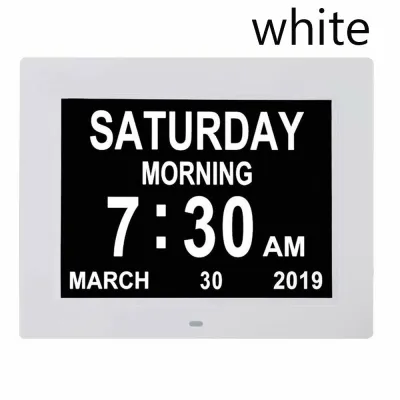
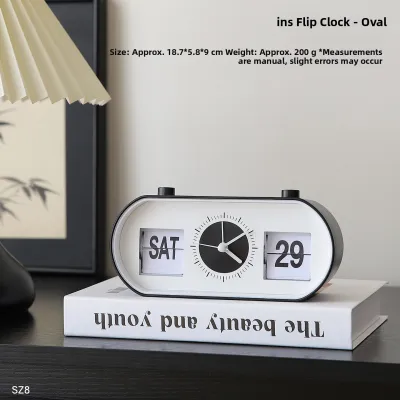
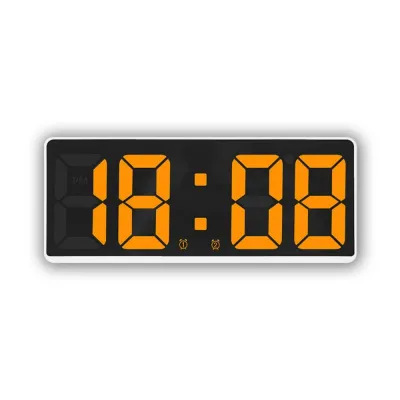
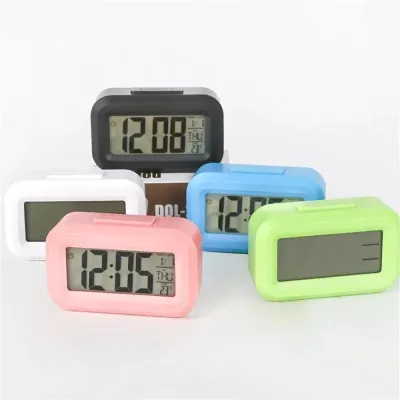
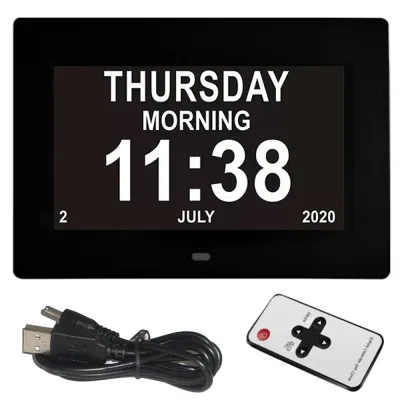
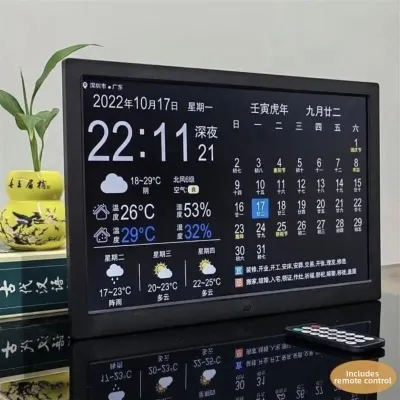
Prices are valid at publication and may change. Please refer to the product page for the latest price.
Power configuration is another critical decision factor. While battery-operated models offer a clean, wire-free aesthetic, mains-powered or USB-powered clocks ensure the display remains constantly illuminated without the hassle of frequent battery replacements. When browsing online marketplaces or local electronics retailers, always verify the exact physical dimensions and power requirements in the manufacturer’s specification sheet rather than relying on stylized product images, which can often make displays appear larger or brighter than they are in reality.
Core Functions and Desk-Friendly Features
A dedicated digital calendar clock should offer robust calendar tracking that goes beyond a simple time display. Look for models that feature automatic leap year adjustments and perpetual calendar programming, ensuring you do not have to manually correct the date at the end of short months. Additionally, consider your preference for date formats; while some users prefer the standard British/Singapore format of Day-Month-Year (DD/MM/YYYY), others may prefer Month-Day-Year (MM/DD/YYYY). Opt for a clock that allows you to toggle between these formats easily.

Integrating environmental sensors into your desk clock can significantly improve your workspace comfort. In Singapore’s tropical climate, indoor humidity and temperature can fluctuate rapidly when transitioning between natural ventilation and air conditioning. A clock equipped with a built-in thermometer and hygrometer allows you to monitor these changes in real time, helping you decide when to adjust your air conditioner, turn on a dehumidifier, or open a window to maintain an optimal working environment.
For productivity and time management, secondary utilities like alarms, snooze functions, and countdown timers are highly beneficial. If you use your desk clock to manage work intervals, such as the Pomodoro technique, a built-in countdown timer or a silent visual alarm can keep you on track without creating loud distractions in a shared household or office. Ensure these buttons are easily accessible on the top or front of the device so you can operate them without tipping the clock over.
Physical stability and footprint are crucial for any item placed on a busy desk. A clock with a wide, weighted base or silicone non-slip pads on the bottom will remain secure when you press buttons or accidentally bump your desk. Look for a slim profile—ideally under 5 cm in depth—to ensure the clock can sit comfortably beneath your monitor bezel or alongside your keyboard tray without encroaching on your active work area.
Evaluating Display Clarity and Readability
The type of screen technology used in a digital calendar clock directly affects how easily you can read it from different angles and lighting conditions. The three most common display types found in desk clocks are:
- Liquid Crystal Displays (LCD): These are highly energy-efficient and work exceptionally well in brightly lit rooms. However, standard passive LCDs can be difficult to read from sharp side angles and require a manual backlight button to be visible in the dark.
- Light Emitting Diode (LED) Displays: LED screens offer self-illuminating digits with excellent contrast and wide viewing angles, making them highly legible from anywhere in the room. The trade-off is higher power consumption, requiring a continuous wired power connection.
- Electronic Paper (E-paper / E-ink): E-paper displays mimic the appearance of real ink on paper, offering near-perfect viewing angles and zero glare under direct sunlight or bright desk lamps. They consume minimal power but typically lack active backlighting, meaning they require ambient room light to be readable.
Brightness control is a vital feature for any clock positioned close to your eyes. A screen that is perfectly legible during the day can become blindingly bright in a darkened room, causing eye strain or disrupting your sleep if your desk is located in your bedroom. Look for clocks that offer manual dimming with multiple brightness levels, or models equipped with an integrated light sensor that automatically adjusts the screen’s intensity based on the surrounding ambient light.
Font size and layout design play a major role in visual comfort. A cluttered screen that crams too much information into a small area can be difficult to read quickly. Prioritize layouts that use bold, high-contrast typography for the primary time and date, while placing secondary information like temperature or alarm status in smaller, distinct sections. This visual hierarchy allows you to glance down, register the date and time instantly, and return to your work without straining your eyes.
Power Sources and Workspace Integration
Deciding between a mains-powered clock and a battery-operated model depends on your aesthetic preferences and desk layout. Mains-powered clocks, which typically connect via a USB cable to a wall adapter or your computer, are ideal for high-contrast LED displays that need constant illumination. This setup eliminates the worry of dead batteries but introduces an extra cable to your desk. Battery-operated clocks, on the other hand, offer complete placement flexibility and a clean, cable-free look, making them perfect for minimalist setups.
If you opt for a wired digital calendar clock, cable management is key to maintaining an organized desk. Check the length of the included cable to ensure it can comfortably reach your power strip or USB hub without being stretched tight. Clocks that feature a standard USB-C or Micro-USB port are highly versatile, as they allow you to swap out the stock cable for a shorter or longer one, or use a right-angle connector to route the wire neatly behind your desk organizer.
For any wired clock, a backup battery feature is highly recommended. Usually powered by a small button cell battery (such as a CR2032), this backup system does not keep the main display illuminated during a power outage, but it keeps the internal quartz movement running. This ensures that when power is restored, or when you unplug the clock to move it to another desk, you do not have to spend time manually reprogramming the time, date, and alarm settings.
When purchasing a wired clock that includes an AC wall adapter, safety should be your top priority. Ensure that any adapter plugged directly into Singapore’s 230V mains sockets carries the Safety Mark certified by Enterprise Singapore. This certification guarantees that the power supply has been tested against electrical hazards, short circuits, and overheating, providing peace of mind for a device that remains plugged in continuously.
Building Your Shortlist: A Buyer's Checklist
To help you compare different digital calendar clocks and find the model that best fits your workspace, use this structured checklist to evaluate your options:
- Measure Your Desk Space: Determine the exact spot where the clock will sit. Measure the height clearance under your monitor and the available depth to ensure the clock's physical dimensions will fit comfortably without crowding your keyboard or mouse pad.
- Verify the Power Interface: Confirm whether the clock uses a USB cable, a proprietary DC jack, or standard AA/AAA batteries. If it requires a wall adapter, verify that you have an available power outlet nearby or a USB port on your monitor or computer that supplies continuous power.
- Check the Display Specifications: Look for the screen type (LCD, LED, or E-paper) and check if the product description specifies the viewing angles and brightness adjustment levels. Avoid models that only offer a single, non-adjustable brightness setting.
- Review the Date and Language Formats: Ensure the clock supports your preferred date layout (such as DD/MM/YYYY) and that the days of the week are displayed in a language and format you find easy to read at a glance.
- Confirm the Backup Battery Type: Check if the clock includes a pre-installed backup battery or if you need to purchase one separately. Having this feature saves significant setup time after power interruptions.
- Read the Care and Maintenance Instructions: Review the manufacturer's guidelines regarding operating temperatures and humidity limits. Since Singapore experiences high relative humidity, choosing a clock with a sealed casing or one designed for tropical indoor environments can extend its lifespan.
By systematically comparing these technical details, you can narrow down your choices to a reliable, functional digital calendar clock that enhances your daily productivity and complements your desk decor.
Frequently Asked Questions (FAQ)
Do digital calendar clocks automatically adjust for daylight saving time?
Most standard digital calendar clocks do not automatically adjust for daylight saving time (DST) unless they are equipped with specific smart features or radio-controlled synchronization. Because Singapore operates on a single standard time zone (GMT+8) year-round without observing daylight saving time, automatic DST adjustments are unnecessary for local use.
If you purchase an imported clock that features an automatic DST function, check the user manual to ensure this feature can be disabled. Leaving an uncoordinated DST setting active may cause your clock to automatically shift its time forward or backward by one hour twice a year, leading to confusion and missed appointments. For absolute reliability, manual quartz clocks or Wi-Fi-enabled models that allow you to lock the time zone to GMT+8 are the most practical choices.
Can I connect a digital calendar clock to my smartphone?
Whether you can connect a digital calendar clock to your smartphone depends entirely on the clock’s design. Standard standalone digital clocks operate independently using internal quartz crystals and do not support smartphone connectivity. These models are favored for their simplicity, long battery life, and lack of software dependencies.
In contrast, smart desk displays and connected hybrid clocks can pair with your smartphone via Bluetooth or Wi-Fi. These connected models automatically sync their time and date with network servers, ensuring perfect accuracy, and some can even display calendar reminders or weather updates from your phone. If you choose a connected model, always verify the companion app’s compatibility with your phone’s operating system and review the manufacturer’s data privacy policy regarding location and network access.
What is the ideal screen size for a desk clock?
The ideal screen size for a desk clock depends on your desk’s depth and your typical viewing distance. For a standard study or office desk with a depth of 60 cm to 80 cm, a screen diagonal of 4 to 7 inches (approximately 10 cm to 18 cm) is generally considered optimal. This size provides a comfortable balance, allowing you to read the time and date clearly from a normal sitting position without the clock dominating your workspace.
When evaluating sizes, look at the manufacturer’s specifications for both the overall physical dimensions and the active display area. A clock with a very thick bezel may take up more physical desk space while offering a smaller screen. Choosing a model with a high screen-to-body ratio ensures you get the maximum possible text size within a compact, space-saving footprint.

Community discussion
Share your experience or ask a question. Comments are reviewed before publication.