
Finding the right digital desk clock for your workspace in Singapore involves balancing immediate readability with the overall aesthetic of your desk. Whether you are setting up a dedicated study corner in a cozy HDB flat or refining a high-tech corporate office desk, a clock does more than tell time—it anchors your daily schedule and complements your room’s lighting. The ideal choice depends on your specific lighting conditions, desk space, and productivity habits.
Selecting a clock requires looking beyond basic timekeeping to evaluate how the device interacts with your environment. Factors such as display technology, power compatibility, and integrated features play a significant role in how well a clock fits into your daily routine. By understanding these elements, you can choose a timepiece that enhances your focus and keeps your workspace organized.
Key Features to Evaluate for Workspace Readability
The primary function of any desk clock is to provide the time at a glance, which means display readability is paramount. Different display technologies perform vastly differently depending on the ambient light in your study or office.
Products mentioned in this guide
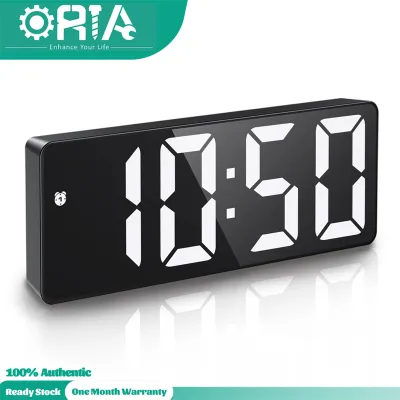
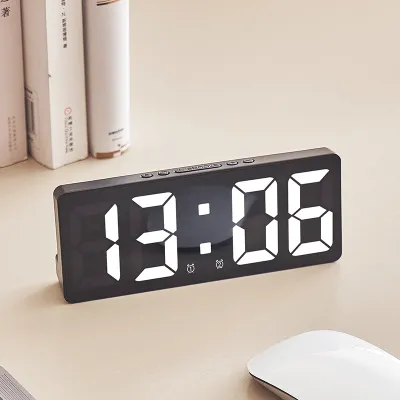
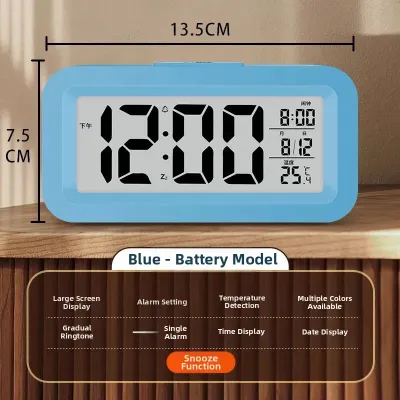
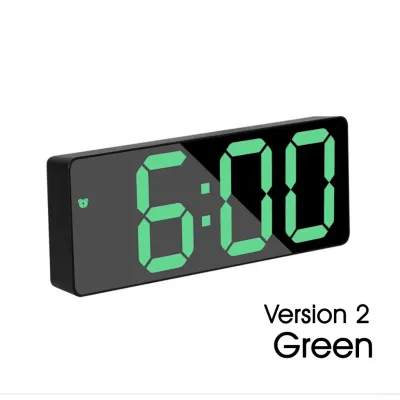
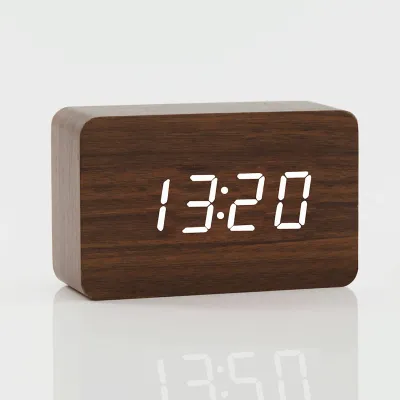
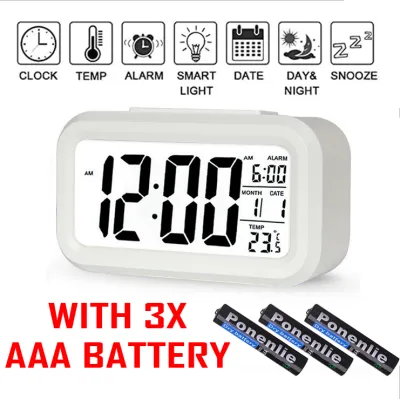
Prices are valid at publication and may change. Please refer to the product page for the latest price.
LED (Light Emitting Diode) displays emit their own light, offering high contrast and vibrant colors that are easy to read in dimly lit rooms or during late-night study sessions. However, in highly illuminated spaces, such as near a bright window or directly under office fluorescent lights, some LED screens can appear washed out.
LCD (Liquid Crystal Display) screens rely on reflected ambient light or a dedicated backlight. An unbacklit LCD is highly energy-efficient and exceptionally clear in well-lit rooms, but it becomes completely invisible in the dark. Backlit LCDs offer a middle ground, providing visibility in all lighting conditions, though they may lack the deep contrast of high-quality LED panels.
To prevent eye strain, look closely at how a clock manages its brightness levels. Auto-dimming sensors use a built-in photodiode to detect ambient light and automatically lower the display’s intensity as the room darkens. This is particularly useful if your desk receives natural daylight that shifts throughout the afternoon.
Manual brightness adjustment is a reliable alternative, typically offering three to five preset levels. While it requires you to physically press a button to change the brightness, it ensures the display remains at your preferred comfort level without unexpected shifts caused by shadows or passing clouds.
Viewing angles and screen treatments also dictate where you can place the clock on your desk. If you position the clock off-center or on a raised shelf, a narrow viewing angle will cause the digits to fade or distort. Choosing a display with wide viewing angles and an anti-glare matte finish helps diffuse reflections from overhead task lights and computer monitors.
Finally, consider the typography of the display. Large, bold digits with a clean, sans-serif font allow you to register the time in a fraction of a second, minimizing the disruption to your workflow. Intricate or highly stylized fonts may look appealing but often require a moment of extra focus to read, which can break your concentration during deep-work sessions.
Matching Clock Aesthetics to Your Desk Setup
A desk clock is a highly visible element of your workspace decor, making its visual design almost as important as its functionality. Matching the clock’s materials and style to your existing setup creates a cohesive, professional environment.

Minimalist matte finishes and simulated wood grains are excellent choices for clean, distraction-free workspaces. These designs are highly popular in modern Singaporean homes that favor Scandinavian, Japandi, or minimalist interior aesthetics. A clock with a wood-texture veneer and a hidden LED display that shines through the surface offers a warm, organic touch that softens the cold look of computer monitors and plastic office accessories.
For those who appreciate a vintage, industrial, or mid-century modern aesthetic, retro mechanical flip-clock styles offer a distinct visual appeal. While these clocks feature physical numbered cards that flip over to mark the passing minutes, modern digital-mechanical hybrids often utilize silent quartz movements to eliminate the distracting ticking sounds of traditional mechanical clocks. This provides a tactile, nostalgic focal point on a creative professional’s desk.
Modern smart displays with customizable digital faces cater to tech-forward workspaces. These devices allow you to change the clock face style, color scheme, and layout to match your computer’s desktop wallpaper or your keyboard’s RGB backlighting. This level of customization ensures the clock feels like an integrated part of your digital ecosystem rather than an afterthought.
Beyond style, consider the physical footprint and cable management of the clock. Singaporean study desks, particularly in compact study rooms, require efficient space utilization. A clock with a slim profile leaves more room for your keyboard, mouse, and reference materials.
Pay attention to how the power cable connects to the device. Rear-facing cables can prevent you from pushing the clock flush against a wall or a monitor riser, while bottom-routed cables often help keep cords hidden. If you prefer an entirely clutter-free desk, wireless, battery-powered, or rechargeable models eliminate cable routing challenges altogether.
Functional Add-ons for Productivity and Comfort
Many modern digital desk clocks incorporate secondary features that can streamline your daily routine and improve your physical comfort without adding clutter to your workspace.
Integrated temperature and humidity sensors are highly practical additions, especially given Singapore’s tropical climate. Monitoring indoor humidity levels helps you decide when to switch from natural ventilation to air conditioning, or when to turn on a dehumidifier to protect sensitive electronic equipment and maintain a comfortable working environment.
Ambient backlighting, sometimes referred to as bias lighting, is another valuable feature for late-night workers. Some clocks feature soft, rear-facing LEDs that project a gentle glow onto the wall behind the desk. This reduces the harsh contrast between a bright computer screen and a dark room, helping to alleviate eye fatigue during extended study sessions.
For time management, look for clocks that include programmable alarms, countdown timers, or dedicated Pomodoro functions. Having a physical, single-purpose timer on your desk is often far more effective than using a smartphone app, as it keeps your phone out of reach and eliminates the temptation of digital distractions.
Multi-device desks can benefit from clocks that feature built-in wireless charging pads or USB pass-through ports. A clock with a Qi-certified charging surface on top allows you to power your smartphone or wireless earbuds directly on your desk, reducing the need for multiple charging bricks and tangled cables.
Technical Checks Before Purchasing in Singapore
Before purchasing a digital desk clock, especially when browsing online marketplaces, it is essential to perform several technical checks to ensure compatibility with local standards and your physical setup.
First, verify the power adapter requirements. Singapore operates on a 230V, 50Hz electrical standard, and electrical appliances should ideally use a Type G three-pin plug. If you are purchasing a clock that plugs directly into a wall outlet, ensure the adapter is certified for local use and carries the appropriate safety marks to guarantee protection against electrical faults.
For USB-powered models, check the required voltage and amperage listed on the product label. While most USB clocks run on a standard 5V supply, some multi-functional models with built-in chargers require higher wattage adapters to function correctly. Ensure your USB wall charger or power strip can deliver the necessary output without overheating.
Battery backup capability is another crucial feature to verify. Many mains-powered digital clocks include a compartment for a small button cell battery or AAA batteries. This backup power does not keep the display illuminated during a power outage; instead, it maintains the internal timekeeping and alarm settings, saving you from having to manually reprogram the clock if you unplug it to clean your desk or move it to another outlet.
Measure your available desk space carefully before finalizing your choice. Compare the clock’s physical dimensions—specifically its height and depth—against the clearance beneath your monitor or the depth of your desk shelves. A clock that is too tall may obstruct your view of the screen, while a deep model might crowd your keyboard area.
Lastly, consider warranty and customer support. For high-end digital clocks or smart models with complex software, purchasing from authorized local distributors ensures you have access to local warranty services. This provides peace of mind and a straightforward path for replacements or repairs if the display develops technical issues.
Condition-Based Recommendations by Workspace Profile
To help you narrow down your choices, consider how different digital clock categories align with specific workspace profiles and user needs.
For deep-focus study setups, prioritize silence and minimal visual distraction. A simple, non-ticking LCD clock with a manual backlight or a highly dimmable LED display is ideal. Look for models that feature integrated, silent countdown timers to help structure your study intervals without the disruptive alerts of a mobile phone.
In shared or brightly lit office spaces, visibility from multiple angles is key. A high-contrast LCD with an anti-glare coating or a bright LED clock with a wide viewing angle ensures you can read the time clearly, even when sitting off-center. A robust build quality, such as a sturdy aluminum or dense composite frame, is also beneficial to withstand the occasional bump in a busy office environment.
Tech-integrated smart desks benefit from Wi-Fi-enabled digital clocks that automatically synchronize with network time servers, ensuring absolute accuracy. These models often integrate with smart home ecosystems, allowing you to sync display colors with your smart lighting or view real-time weather updates directly on your desk.
For compact or minimalist workstations where desk space is limited, look for ultra-slim profiles or vertical tower designs that occupy a minimal footprint. A rechargeable, wireless digital clock is highly suitable for these setups, as it can be easily moved aside when you need to spread out physical documents, textbooks, or drawing tablets.
Frequently Asked Questions (FAQ)
How do I prevent a digital clock display from causing eye strain at night?
To minimize eye strain in low-light environments, utilize clocks with built-in ambient light sensors that automatically lower the display brightness when the room darkens. If your clock lacks an auto-dimming feature, manually set it to its lowest brightness level before starting evening work. Alternatively, position the clock slightly outside your direct line of sight—such as on a side shelf rather than directly under your monitor—to keep the light source in your peripheral vision. For exceptionally bright displays, applying a semi-transparent static-cling dimming sheet over the screen can effectively soften the glare without blocking readability.
Can I use a USB-powered digital clock with a standard wall adapter?
Yes, most USB-powered digital clocks can be safely connected to a standard wall adapter, provided you verify the power requirements listed on the clock’s product label. Most basic digital clocks require a standard 5V power supply with an amperage of 1A or 2A. Ensure that the wall adapter you use meets or exceeds these specifications; using an underpowered adapter can cause the display to flicker or the clock to reset. To maintain electrical safety and stable performance, avoid daisy-chaining the clock through unpowered USB hubs or connecting it to high-draw computer ports alongside multiple external hard drives.

Community discussion
Share your experience or ask a question. Comments are reviewed before publication.