
Finding the best value USB table lamp in Singapore requires balancing your specific desk setup with the physical and electrical limitations of USB power. True value is not merely a matter of choosing the cheapest option on an e-commerce platform; it is about finding a lamp that delivers stable, flicker-free illumination, maintains its physical position without sagging, and fits seamlessly into your workspace. Whether you are setting up a compact study corner in an HDB flat or upgrading a professional home office, understanding how to evaluate brand specifications, build quality, and power requirements will ensure you invest in a lamp that protects your eyes and lasts for years.
Defining "Best Value" for USB Table Lamps
To determine which brand offers the best value, you must first define your primary lighting objective. Task lighting for reading, writing, or detailed craftwork requires a concentrated, directional beam that illuminates a specific work surface. In contrast, ambient lighting for screen-based work focuses on reducing eye strain by balancing the contrast between your monitor and the surrounding room. Many USB table lamps attempt to bridge this gap, but their effectiveness depends heavily on how they are powered.
Your primary power source is a critical constraint when choosing a lamp. Running a lamp directly from a laptop or monitor USB port offers excellent portability but limits the electrical current available to the device. Standard USB 2.0 or 3.0 ports typically deliver limited power, which can restrict the lamp’s maximum brightness. If you require high-intensity task lighting, you will need to connect the lamp to a dedicated USB wall adapter plugged into a mains outlet.
Products mentioned in this guide
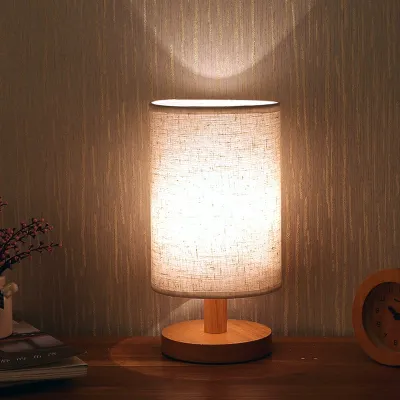
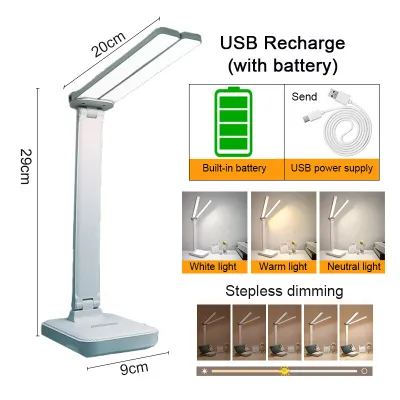
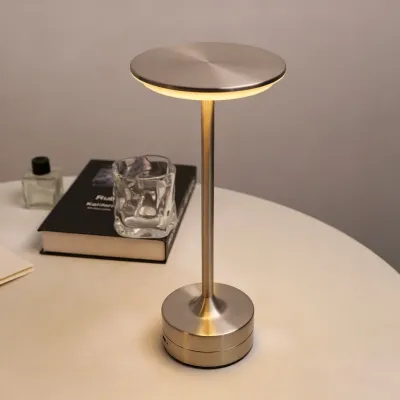
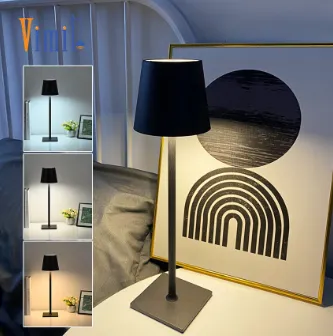
![[LOCAL SELLER] LED Touch On/Off Switch 3 Modes Clip Desk Lamp 2000MAh Eye Protection Desk Light Dimmer Rechargeable USB Led Table Lamp](https://img.lazcdn.com/g/p/c5062fc78b0d51f10105f68700cb1e94.jpg_400x400q80.jpg_.webp)
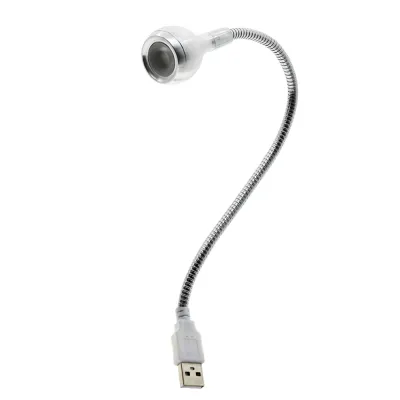
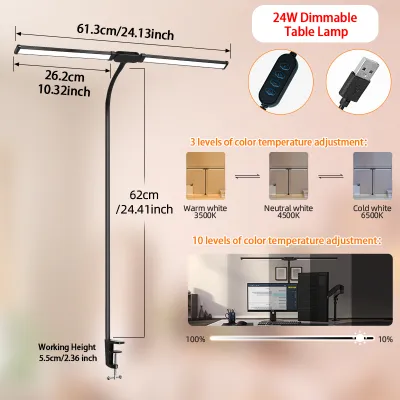
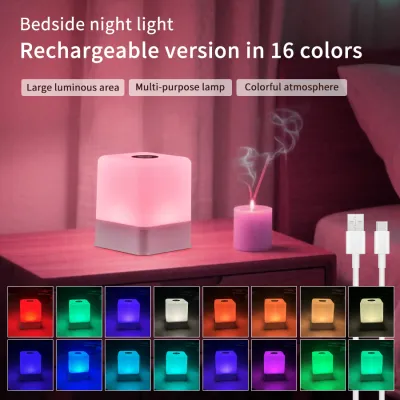
Prices are valid at publication and may change. Please refer to the product page for the latest price.
It is also essential to set realistic expectations for USB-powered lamps compared to traditional mains-powered alternatives. Because USB ports operate at lower voltages (typically 5V), these lamps generally have lower maximum lumen outputs than standard AC-powered desk lamps. However, for close-range desk work, modern LED technology allows USB lamps to provide highly efficient, glare-free illumination that is more than sufficient for daily tasks while consuming minimal energy.
Key Specifications to Compare Across Brands
When comparing different brands, technical specifications on the packaging or product listings provide the most reliable indicators of performance. Brightness is often marketed using lumens, which measure the total light emitted by the source, or lux, which measures the intensity of light falling on a specific surface area. For comfortable reading, look for brands that specify their lux levels at a standard desk distance and offer multiple adjustable brightness steps rather than a single fixed output.

Color temperature is another crucial specification that affects both productivity and comfort. Measured in Kelvin (K), color temperature ranges from warm yellow (around 2700K to 3000K) to cool white (5000K to 6500K). Brands that offer adjustable color temperatures allow you to switch from cool, focus-enhancing light during daytime work to warm, relaxing tones in the evening. This flexibility is highly desirable for multi-purpose desks.
Power draw and electrical compatibility must be verified to prevent operational issues. Check the manufacturer’s specified wattage and required input current (such as 5V/1A or 5V/2A). If a lamp requires a 2A input but is plugged into a 1A port, you may experience flickering, dimming, or automatic shut-offs. Ensure your intended power source matches or exceeds the lamp’s requirements.
Finally, evaluate the light distribution design of each brand. High-quality lamps feature built-in diffusers or frosted covers over the LED panel to scatter the light evenly. This design minimizes harsh shadows and reduces direct glare on your eyes or computer screen, which is a common cause of digital eye strain during long working hours.
Evaluating Build Quality and Ergonomics
A lamp’s technical specifications mean very little if the physical structure cannot support daily use. When evaluating different brands, pay close attention to the joint and hinge tension. Adjustable arms must have sufficient resistance to hold their position at various angles without sagging over time. Look for models with adjustable tension screws, which allow you to tighten the joints manually if they loosen after prolonged use.
The base weight and footprint are equally important, especially on compact Singapore desks where space is at a premium. A high-value lamp should have a weighted base or a sturdy clamp mechanism to prevent tipping when the arm is fully extended. Lightweight, poorly balanced bases can easily topple when bumped, risking damage to the lamp or other desk accessories.
Material selection directly influences both durability and aesthetic appeal. While budget-friendly brands often rely heavily on lightweight plastics, mid-range and premium options frequently incorporate anodized aluminum, steel, or flexible silicone sleeves. Metal components generally offer better heat dissipation for the LEDs, extending their operational lifespan, and provide a more stable, premium feel.
Do not overlook cable management and cord length. Some brands hardwire the USB cable directly into the lamp base, while others use a detachable USB-C or Micro-USB port. Detachable cables are generally preferred because they are easy to replace if the cord becomes damaged, preventing you from having to discard the entire lamp. Ensure the supplied cable is long enough to reach your power source comfortably.
Navigating Price Tiers and Warranties
The Singapore market features a wide array of USB table lamps categorized into distinct price tiers, each offering a different balance of features and durability. The entry-level tier, typically priced under S$20, consists of basic, lightweight lamps. These models usually offer fixed color temperatures, simple plastic construction, and limited adjustability. They are highly portable and suitable for occasional, light-duty use, but may lack long-term durability.
The mid-range tier, generally ranging from S$20 to S$60, represents the sweet spot for most home office setups. In this bracket, you can expect adjustable arms, multiple color temperature modes, touch-sensitive dimming, and improved light diffusion. These brands often use a mix of metal and high-grade plastics, providing a much sturdier build that can withstand daily adjustments.
The premium tier, which can exceed S$60, focuses on advanced ergonomics, high color rendering indexes (CRI), and smart features. These lamps are designed for professionals who spend long hours at their desks and require precise lighting control. They often feature auto-dimming sensors that adjust brightness based on ambient room light, premium aluminum finishes, and highly sophisticated optical designs that eliminate glare entirely.
Regardless of the price tier, verifying warranty coverage and local distributor support is essential. When purchasing from online marketplaces, check if the seller offers a local warranty rather than an import warranty. A local warranty ensures that you can easily obtain a replacement or refund if the lamp experiences electrical failure, without the hassle of shipping the product overseas.
Decision Framework: Matching Brand Profiles to Your Needs
To make an informed purchase, match your specific daily habits and desk environment to the appropriate brand profile. If you only need a portable light source for occasional reading, bedside use, or travel, a budget-focused brand offering a lightweight, flexible silicone neck is highly practical. These lamps are easy to pack, run efficiently on low-power sources, and represent minimal financial investment.
For daily study, remote work, or extensive reading, prioritize mid-range brands that emphasize ergonomic adjustability and eye comfort. Look for models with sturdy metal hinges, a weighted base, and adjustable Kelvin ranges. This ensures you can position the light precisely where you need it to avoid screen glare while selecting a color temperature that matches your task and the time of day.
If your work involves color-critical tasks such as graphic design, illustration, or professional video editing, look toward premium brands that specify a high Color Rendering Index (typically CRI 90 or above). These specialized lamps ensure that colors appear natural and accurate under artificial light. Additionally, their sophisticated optical designs are ideal for those who suffer from frequent eye fatigue.
Before finalizing your purchase, always verify the power adapter requirements. Many USB table lamps do not include a wall adapter in the box, supplying only the USB cable. You must check your existing adapters or purchase a compatible one separately to ensure the lamp receives stable, adequate power for optimal performance.
Frequently Asked Questions (FAQ)
Can I power a USB table lamp directly from my laptop?
Yes, you can power most USB table lamps directly from a laptop USB port, but performance depends on the lamp’s power requirements. Standard laptop USB ports typically output 5V at 0.5A or 0.9A, which may be insufficient for high-wattage lamps. If your lamp requires a higher current (such as 1.5A or 2A) to reach its maximum brightness, plugging it into a laptop port may result in reduced light output, flickering, or the lamp turning off unexpectedly. For stable, maximum brightness, it is highly recommended to use a dedicated USB wall adapter connected to a mains outlet.
Do USB table lamps need a safety certification in Singapore?
In Singapore, low-voltage USB devices themselves (which operate at 5V) do not typically require a safety certification. However, the mains-powered USB wall adapter used to connect the lamp to a power outlet is classified as a Controlled Item. This means any USB wall adapter sold or used in Singapore must carry the Enterprise Singapore Safety Mark. When purchasing a lamp that includes a wall adapter, or when buying an adapter separately, always verify that the adapter displays this safety mark to ensure it has been tested for electrical safety and fire prevention.
How do I clean and maintain a USB desk lamp?
To clean and maintain your USB table lamp safely, always disconnect the power source by unplugging the USB cable before starting. Use a dry or slightly damp microfiber cloth to gently wipe dust and fingerprints from the lamp body, diffuser, and base. Avoid using harsh chemical cleaners, solvents, or excessive water, especially near the hinges, USB ports, and touch-sensitive control panels. If your lamp has adjustable joints, periodically check that they remain tight and stable, adjusting any tension screws as recommended by the manufacturer to prevent sagging.

Community discussion
Share your experience or ask a question. Comments are reviewed before publication.