
Choosing a small clock for a compact desk requires balancing readability with physical footprint. The ideal size for a space-constrained desk is a clock with a footprint of no more than 8 centimeters in width and 5 centimeters in depth, keeping the height under 10 centimeters. This compact profile ensures the timepiece fits neatly under a monitor riser or in a corner without encroaching on your active workspace.
By selecting a clock within these dimensions, you preserve precious surface area for writing, typing, and mouse movement. A well-proportioned clock serves as a functional accent rather than a source of visual clutter, helping you manage your time without crowding your daily workflow.
General Size Guidelines for a Compact Desk Clock
When working with a limited desk surface, every square centimeter matters. A general rule of thumb is that your desk clock should occupy no more than 5% of your available flat workspace. For a standard compact desk measuring 80 centimeters by 50 centimeters, the clock’s base should ideally be kept to a minimal footprint, such as a 6-centimeter square or a narrow rectangular base.
Products mentioned in this guide
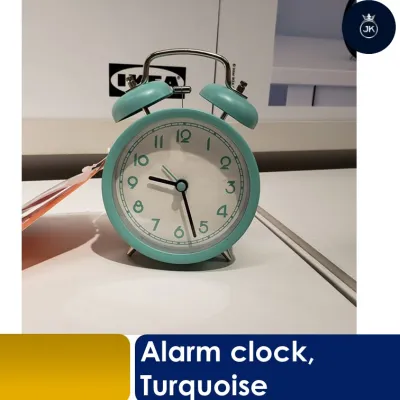
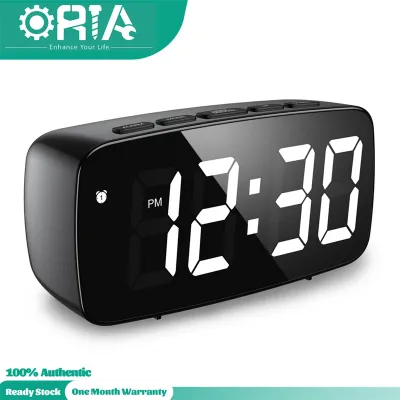
![[MQLITTLESHOP] Smart Digital Electronic Snooze Alarm Table Desk Clock Home Decor LED Small for Kids Living Room Bedroom with light loud](https://img.lazcdn.com/g/p/7815b8f88795162fe07300ad7b776d7b.jpg_400x400q80.jpg_.webp)
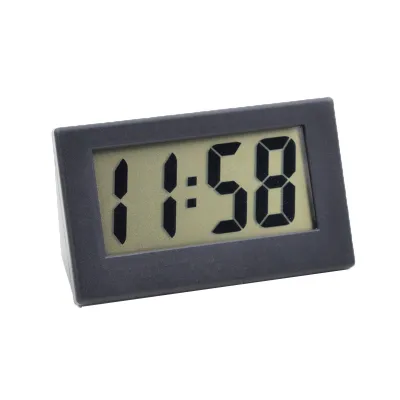
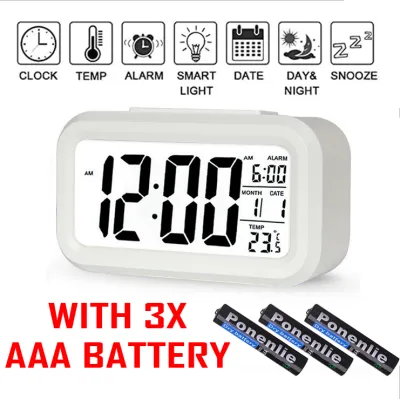
Prices are valid at publication and may change. Please refer to the product page for the latest price.
Proportion is also relative to the other items on your desk. If you use a laptop or a single monitor, a clock that is too tall can block the bottom of your screen or interfere with your line of sight. To maintain clean visual lines, choose a clock that stands lower than the bottom bezel of your monitor, which typically sits about 10 to 12 centimeters above the desk surface.
Height considerations are equally important if you have low-hanging bookshelves or a monitor stand riser. A low-profile clock with a height of 6 to 8 centimeters can easily slide underneath a riser shelf, keeping the time visible while utilizing otherwise dead space. This height range also prevents the clock from casting shadows over your keyboard under overhead task lighting.
Measuring Your Desk Space for a Table Clock
Before purchasing a small clock, it is essential to measure your specific desk layout to find the safest and most practical spot. Start by identifying the “dead zones” on your desk—areas that are not used for active work. Common spots include the triangular space in the corners behind a laptop, the area directly beneath a monitor stand, or the narrow strip of space beside your keyboard tray.

Use a physical measuring tape to determine the exact depth, width, and height clearances of your chosen spot. If you plan to place the clock under a monitor, measure the vertical clearance from the desk surface to the bottom of the screen. For corner placements, measure the diagonal distance to ensure the clock does not overhang the edges of the desk.
Do not forget to account for functional clearance around your active work tools. If you place the clock on your dominant hand’s side, ensure there is at least 15 centimeters of clearance from your mouse pad to prevent accidental collisions during fast hand movements. If the clock is digital and requires a wired connection, factor in the space needed for cable routing and the proximity to your power outlet or USB hub.
Balancing Readability and Physical Footprint
Achieving the perfect balance between a small physical footprint and clear readability depends heavily on whether you choose an analog or digital display. For analog clocks, look for designs that maximize the dial diameter while minimizing the outer casing. A clock with a ultra-thin bezel allows the clock face to be larger and easier to read from a standard seated distance of 50 to 70 centimeters, without adding unnecessary bulk to your desk.
For digital small clocks, readability is determined by digit size, screen contrast, and display technology. High-contrast liquid crystal displays (LCD) or light-emitting diode (LED) screens are highly legible, but they require careful consideration of the installation environment. If you choose an LED clock, verify that it features an adjustable dimming method so the display does not cause eye strain or glare during late-night work sessions.
Your typical seated working position and viewing angle should dictate the clock’s design. If the clock sits flat on the desk surface below your eye level, a vertical or flat-faced clock can be difficult to read without leaning forward. Look for clocks with a slightly tilted face or an angled stand that directs the display upward toward your eyes, ensuring you can check the time with a quick glance.
Managing Visual Weight to Prevent Desk Clutter
The physical dimensions of a clock only tell part of the story; its visual weight plays a massive role in how cluttered your desk feels. Visual weight refers to how heavy or prominent an object appears to your eyes. A solid, dark-colored wooden or marble clock will feel much larger and more imposing than a light-colored, minimalist, or wireframe clock of the exact same physical dimensions.
Compare the base footprint against the total height to decide between vertical and horizontal orientations. Vertical clocks, such as small cylindrical or tower designs, have a tiny base footprint but stand taller, making them excellent for tight corners. Horizontal clocks are wider and lower, offering great stability but requiring a longer strip of clear space along the back of your desk.
Material and color choices can either help the clock blend seamlessly into your workspace or create intentional, clean contrast. To minimize visual clutter, choose a clock with a frame color that matches your desk surface, such as a matte white clock on a light oak desk. If you prefer contrast, opt for clean, slim metal frames or transparent acrylic casings that allow light to pass through, preserving a sense of openness on your desk.
Common Sizing and Placement Mistakes to Avoid
One of the most common mistakes is choosing a clock that is too deep for shallow desks. Many compact desks or monitor risers are only 40 to 50 centimeters deep. A clock with a deep kickstand or a thick cylindrical base can easily take up 10 centimeters of depth, forcing your keyboard closer to the edge of the desk and cramping your wrists.
Another frequent oversight is ignoring the physical bulk of the clock’s stand, power cables, or protruding adjustment buttons at the back. A clock might have a slim face, but a bulky power adapter or a stiff USB cable sticking straight out of the back can add several centimeters to the required depth. Always verify the interface type, cable exit angle, and voltage requirements before finalizing your setup.
Placing a lightweight clock in high-traffic desk zones is a recipe for frustration. Avoid placing your clock directly next to your mouse pad, near the edge of the desk where sleeves can catch it, or right beside a paper document pile. If your desk is prone to movement or vibrations, look for a clock with a non-slip silicone or rubber base to keep it securely anchored.
Finally, if you opt for a digital clock, ensure you check its electrical specifications and certifications. In Singapore, look for appropriate safety certifications on USB power adapters if the clock does not run on standard batteries. Budgeting between S$15 to S$40 is usually sufficient to find a high-quality, compact desk clock that meets these safety and design standards.
Frequently Asked Questions (FAQ)
Can a Wall Clock Double as a Small Table Clock?
Repurposing a wall clock as a table clock is generally not recommended for compact desks due to stability and depth issues. Wall clocks typically lack a flat base or a built-in kickstand, making them highly unstable when placed on a flat surface. Furthermore, wall clocks are designed to be read from a distance, meaning their casing and dial diameters are usually too large, creating immediate visual and physical clutter on a small desk.
How Does Clock Shape Affect Desk Space and Clutter?
Clock shape directly influences how efficiently you can utilize your desk’s footprint. Square and rectangular clocks can be pushed flush against walls, monitor stands, or desk organizers, making them highly space-efficient for tight corners. Round or oval clocks, while offering a softer visual aesthetic that breaks up the sharp lines of a desk, leave unused triangular gaps behind them, which can accumulate dust and reduce usable surface area.

Community discussion
Share your experience or ask a question. Comments are reviewed before publication.