
Selecting the correct wattage for your smart lighting system is the foundation of a safe, flicker-free setup. To choose the right Tuya LED driver wattage, you must calculate the total power consumption of your light fixtures and add a 20% safety margin. Matching the output voltage (typically 12V or 24V) and ensuring compatibility with the Tuya smart control protocol are equally vital to prevent overloading and system failure.
Calculate Your Total LED Power Requirement
Before purchasing a tuya led driver, you must determine the exact electrical load of your lighting fixtures. LED strips and LED panels consume power differently, requiring distinct approaches to calculate their total wattage.
For LED strips, the power consumption is determined by the length of the run. Look at the manufacturer’s specifications to find the wattage rating per meter (W/m). Multiply this number by the total length of the strip you plan to install. For example, if your LED strip consumes 14.4 watts per meter and you are installing a 5-meter run, your total power requirement is 72 watts (14.4 W/m × 5 m).
Products mentioned in this guide
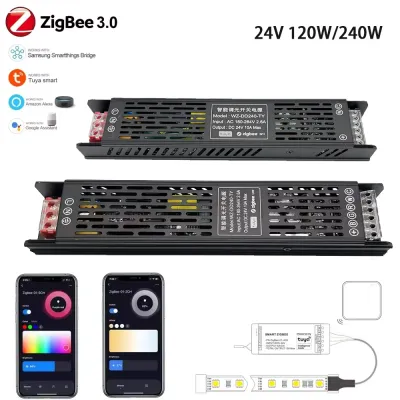
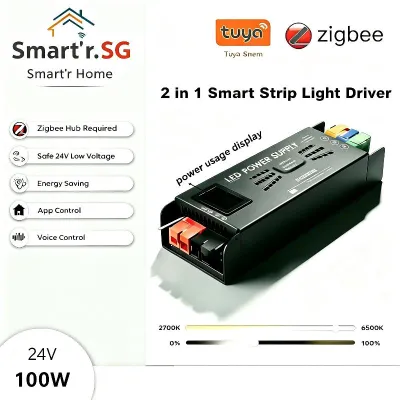
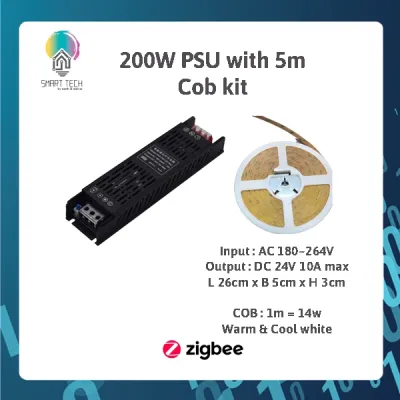
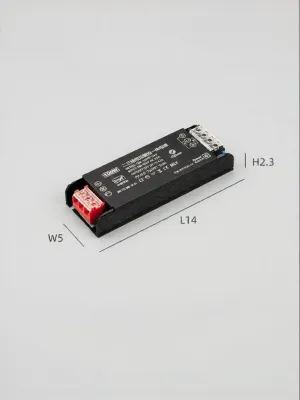
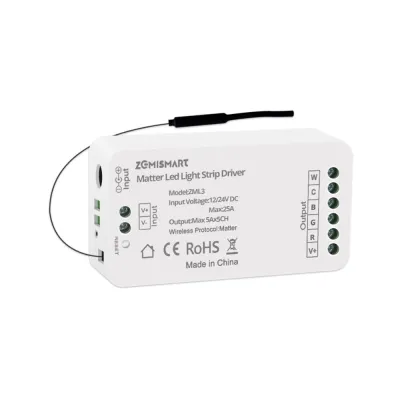
Prices are valid at publication and may change. Please refer to the product page for the latest price.
LED panels, on the other hand, operate on a fixed power load. The total wattage is typically printed directly on the product label, the packaging, or the manufacturer’s spec sheet. If you are installing multiple panels on a single driver, simply add their individual wattages together to find the total load.
Alongside wattage, you must identify the required direct current (DC) operating voltage. Most residential LED strips run on either 12V or 24V DC. This voltage rating is critical because your driver must output the exact voltage your LEDs are designed to receive. Mixing these up can permanently damage your equipment.
Apply the 20% Safety Margin Rule
Once you know your total LED power requirement, do not match it exactly to the driver’s maximum rated wattage. Running any power supply at 100% capacity continuously leads to excessive heat buildup and premature component degradation.

To ensure system longevity and safety, apply the industry-standard 20% safety margin rule (often called the 80% load rule). This means your total LED load should not exceed 80% of the driver’s maximum output capacity. To calculate the minimum required wattage for your Tuya LED driver, multiply your total calculated LED wattage by 1.2.
Using our previous example of a 72-watt LED strip run, the calculation is 72W × 1.2 = 86.4W. Since LED drivers are manufactured in standard sizes, you would round up to the next available capacity, which is typically a 100-watt driver.
Overloading a driver by ignoring this safety margin poses serious risks. The driver will run extremely hot, which can trigger thermal shutdown, cause the lights to flicker or shut off entirely, and significantly shorten the lifespan of the device. In worst-case scenarios, chronic overheating can melt plastic casings or pose a fire hazard.
Conversely, there is a common misconception that underloading a driver—using a driver with a much higher wattage than the light strip requires—will damage the lights. In a constant voltage system, this is completely safe. A 100-watt driver powering a 20-watt strip will only deliver the 20 watts demanded by the strip. The driver will run cooler, more efficiently, and last much longer because it is operating well below its limit.
Ensure Voltage and Smart Control Compatibility with Your Tuya LED Driver
Selecting the correct wattage is only half the battle; the driver must also match your lights electrically and integrate seamlessly with your smart home ecosystem.
The output voltage of your Tuya LED driver must match the input voltage of your LED lights exactly. Connecting a 12V LED strip to a 24V driver will instantly burn out the LEDs, while connecting a 24V strip to a 12V driver will result in extremely dim light or no illumination at all. Always verify these specifications on both products before wiring them together.
You must also distinguish between constant voltage (CV) and constant current (CC) drivers. LED strips almost universally require a constant voltage driver, which maintains a steady voltage (like 12V or 24V) while the current fluctuates based on the length of the strip. Many LED panel lights, however, require constant current drivers, which maintain a steady current (measured in milliamperes, such as 350mA or 700mA) while the voltage varies.
Because you are using the Tuya platform, smart control compatibility is paramount. Tuya-compatible drivers communicate via protocols like Wi-Fi, Zigbee, or Bluetooth. If you want to dim your lights, adjust the color temperature (CCT), or change RGB colors, the driver must support these specific control channels.
Smooth dimming requires a driver that utilizes high-quality Pulse Width Modulation (PWM) dimming. Cheap or incompatible drivers often fail to handle the dimming signals sent from the Tuya app, resulting in visible flickering, limited dimming range, or buzzing noises. Ensure the driver’s specifications explicitly state compatibility with smart dimming protocols.
Electrical Safety and Installation in Singapore
When installing smart lighting in Singapore, you must adhere to local electrical standards and environmental conditions to ensure a safe setup.
Singapore’s national grid operates on a nominal mains voltage of 230V AC at a frequency of 50Hz. Before purchasing a Tuya LED driver online, verify that its input voltage range is compatible with this standard. Most universal drivers are rated for 100V to 240V AC, which is perfectly safe for local use, but some regional models may only support 110V and will fail or pose a hazard if connected to Singapore mains.
For safety assurance, look for the Singapore Safety Mark on the driver. The Safety Mark indicates that the electrical appliance has been tested and certified to meet the safety standards set by Enterprise Singapore. Using uncertified drivers can compromise your home insurance coverage and increase the risk of electrical faults.
Always consider the installation environment. Singapore’s humid climate means that drivers installed in damp areas, such as kitchens, bathrooms, or outdoor balconies, must have an appropriate Ingress Protection (IP) rating, such as IP65 or IP67, to prevent moisture ingress. If you are concealing drivers inside false ceilings, ensure there is adequate ventilation to prevent heat buildup.
For fixed wiring installations, high-load setups, or complex concealed wiring behind walls or ceilings, always isolate the power at your main distribution board (DB box) before commencing work. It is highly recommended to engage a licensed electrical worker (LEW) to handle the installation. This ensures compliance with local wiring standards (SS 638) and guarantees proper grounding and circuit protection.
Frequently Asked Questions (FAQ)
Can I use a 100W Tuya driver for a 20W LED strip?
Yes, this is completely safe. In constant voltage LED systems, the strip only draws the current it needs to operate. The driver acts as a reservoir of power; it does not force its full 100-watt capacity into the 20-watt strip. Operating a driver at a low load capacity actually reduces heat generation and extends the lifespan of both the driver and the LEDs.
Why does my LED strip flicker when dimming via the Tuya app?
Flickering usually occurs due to a mismatch between the driver and the dimming signal. This can happen if you attempt to dim a non-dimmable driver using a separate smart switch, or if the driver’s internal PWM frequency is incompatible with the Tuya control module. Additionally, if the driver is underpowered or operating too close to its maximum limit, it may struggle to maintain a stable voltage output at low dimming levels, causing the lights to flicker or drop out.

Community discussion
Share your experience or ask a question. Comments are reviewed before publication.