
Determining whether your WeLite LED driver will work seamlessly with your existing wall dimmer switch depends on matching the dimming technology, voltage, and wattage limits of both devices. Because LED drivers and dimmers use different methods to control electrical current, a mismatch can lead to flickering, buzzing, or even premature component failure. Before purchasing a new driver or attempting installation, you must verify the specific technical requirements of your current switch and cross-reference them with the driver’s specifications.
Identify Your Current Dimmer Switch Type
To evaluate compatibility, you must first identify the technology powering your existing wall dimmer. Traditional dimmers designed for incandescent bulbs typically use leading-edge (TRIAC) technology, which cuts off the front of the electrical wave. While common in older homes, leading-edge dimmers often struggle with the low electrical loads of modern LED systems.
In contrast, trailing-edge (electronic low voltage) dimmers cut off the trailing edge of the electrical wave, providing a smoother dimming curve that is highly compatible with electronic LED drivers. These switches are specifically engineered to handle capacitive loads without causing electrical stress to the driver.
Products mentioned in this guide
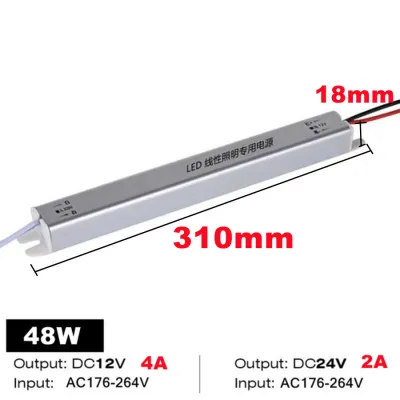
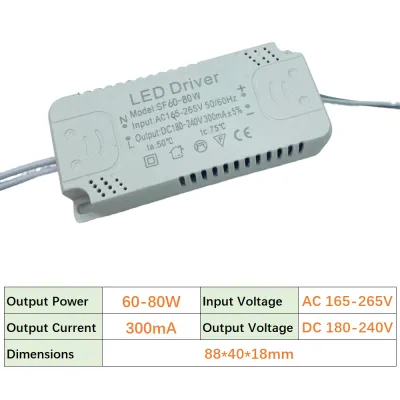
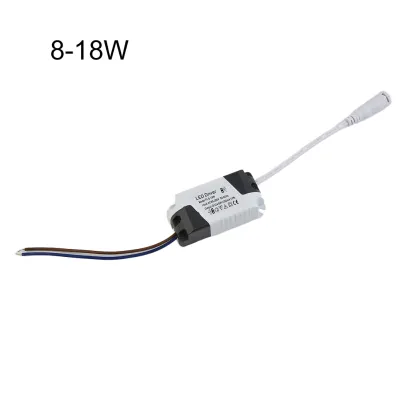
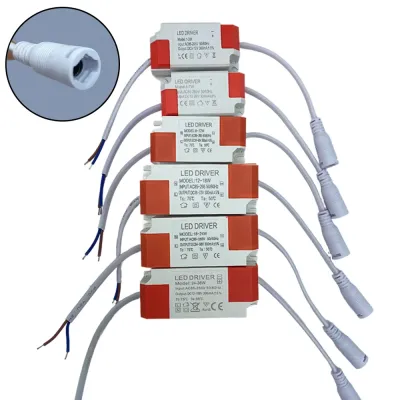
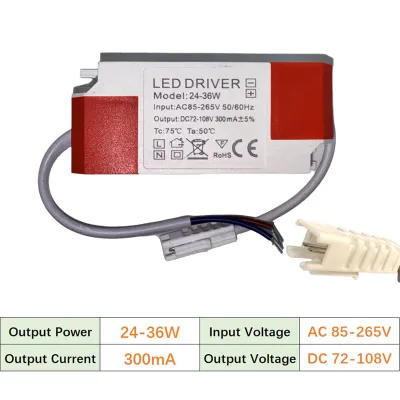
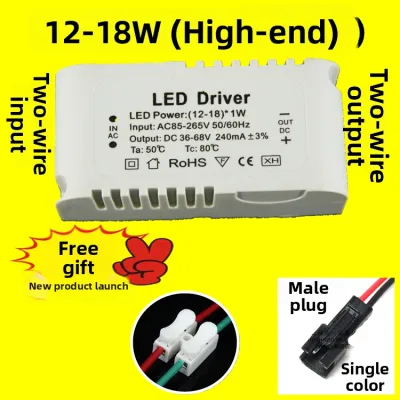
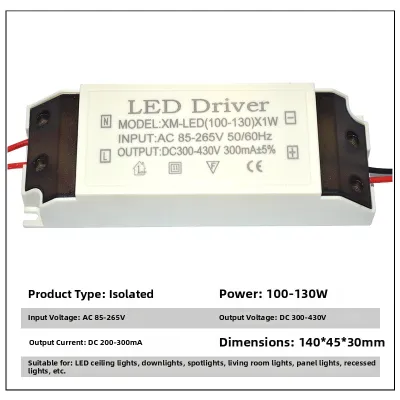
Prices are valid at publication and may change. Please refer to the product page for the latest price.
If you are using a smart dimmer, you must also check its wiring configuration. Many smart switches require a neutral wire to power their internal wireless radios and processors, which may require checking the wiring inside your wall box. To find the exact specifications of your switch, turn off the power, safely remove the faceplate, and locate the manufacturer model number on the back of the unit to look up its official load ratings online.
Check Your WeLite LED Driver Specifications
Once you know your dimmer type, you must locate the exact specifications of your WeLite LED driver. This information is typically printed directly on the product label, detailed in the user manual, or listed on the manufacturer’s official specification sheet.

Start by identifying the supported dimming protocols listed on the driver’s label. Common protocols include TRIAC (leading-edge), trailing-edge, 0-10V, or DALI (Digital Addressable Lighting Interface). The driver must explicitly state compatibility with the specific dimming method your wall switch uses.
Additionally, verify the driver’s electrical limits, including the input voltage, output current, and maximum wattage capacity. In Singapore, residential electrical systems operate at a standard voltage of 230V, so ensure the driver is rated for this input. The output current and voltage must also match the requirements of your connected LED light fixtures to prevent overloading.
Match the Dimmer and Driver Requirements
With both sets of specifications in hand, you can now verify if they form a compatible pair. A reliable setup occurs when both the dimmer switch and the WeLite driver are rated for trailing-edge dimming, which minimizes electrical noise and ensures a stable dimming range.
Next, calculate the total connected electrical load of your LED fixtures. The combined wattage of all light fixtures connected to the driver must fall within both the driver’s maximum capacity and the dimmer switch’s minimum and maximum wattage limits. If the total load is below the dimmer’s minimum threshold, the lights may fail to turn off completely or may flicker at low levels.
Ignoring these compatibility checks can lead to immediate performance issues. Common symptoms of a mismatch include audible buzzing from the wall switch or the driver, a highly restricted dimming range where the lights suddenly drop out, or rapid strobing. If you observe any of these signs, turn off the system immediately to avoid permanent damage to the driver or the dimmer.
Electrical Safety and Installation Boundaries
Working with household electrical systems carries inherent risks of shock and fire. Always isolate the power supply by turning off the main circuit breaker at your distribution board before inspecting, wiring, or replacing any switches or drivers. Never rely solely on the wall switch to cut the power.
In Singapore, modifying fixed electrical wiring, installing new circuits, or upgrading incompatible wall switch boxes must be performed by a licensed electrical worker (LEW). Attempting to wire these devices yourself without proper certification can void product warranties, compromise home insurance, and violate local safety regulations.
If the specifications on your WeLite driver and your dimmer switch conflict, or if you cannot identify the model of your existing switch, stop the installation immediately. Consult the manufacturer’s technical support or hire a qualified professional to assess your setup and recommend a safe, compatible solution.
Frequently Asked Questions (FAQ)
Can I use a leading-edge dimmer with a WeLite LED driver?
While some modern LED drivers are designed with adaptive circuitry to support leading-edge (TRIAC) dimmers, using them can still result in a limited dimming range or minor flickering. You must check the WeLite specification sheet for explicit TRIAC or leading-edge approval before attempting to use this combination. If the driver does not explicitly list leading-edge compatibility, upgrading to a trailing-edge dimmer is highly recommended.
Why do my LED lights flicker or buzz when dimming?
Flickering and buzzing are typical signs of an electrical mismatch between the dimmer switch and the LED driver. This often happens when using an older incandescent dimmer, when the total wattage of the connected LEDs falls below the dimmer’s minimum load requirement, or if there is loose wiring in the junction box. Verify that both components share the same dimming protocol and that the total load is within the correct limits, and consult a licensed electrician if the issue persists.

Community discussion
Share your experience or ask a question. Comments are reviewed before publication.