
Choosing the right table clock involves more than just finding a device that tells the time. It requires balancing your aesthetic preferences with your daily functional needs, spatial constraints, and power availability. Mooas has established a prominent presence in the home decor space by offering a diverse range of digital and analog table clocks characterized by minimalist Korean design, clean lines, and functional integration. To find the ideal model for your home or workspace, you must evaluate key design languages, display types, power sources, and secondary features like temperature sensors or integrated night lights.
Because these clocks serve as both decorative accents and functional timekeepers, matching their physical dimensions, display brightness, and power requirements to your specific environment ensures a seamless integration into your daily routine. Whether you need a silent companion for a focused study desk, a dimmable display for a dark bedroom, or a multi-functional hub for a living room shelf, understanding the brand’s design philosophy and feature sets will guide you to the correct choice. This guide provides a comprehensive framework to help you navigate the available options, verify technical specifications, and select the perfect model for your space.
Identifying Core Design and Material Characteristics
Mooas table clocks are widely recognized for their minimalist aesthetic, which emphasizes clean geometric shapes, soft color palettes, and uncluttered interfaces. The typical form factors range from sleek rectangular blocks and perfect circles to soft, rounded squares that blend effortlessly into modern desk setups and Scandinavian-inspired interiors. This design language focuses on reducing visual noise, allowing the clock to function as a subtle decorative element rather than a distracting gadget.
Products mentioned in this guide
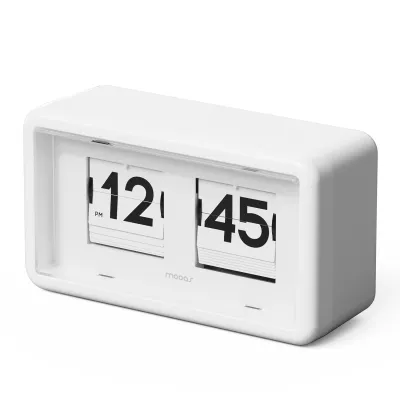
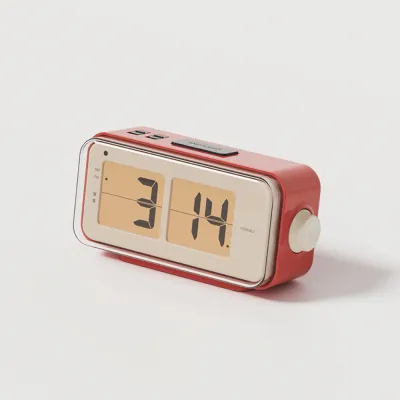
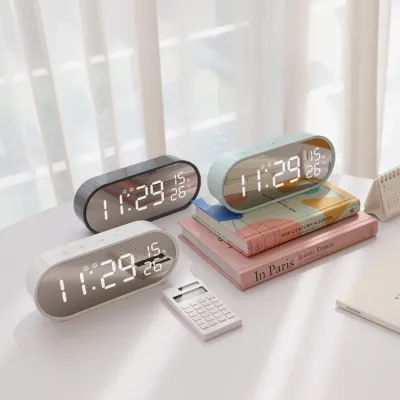
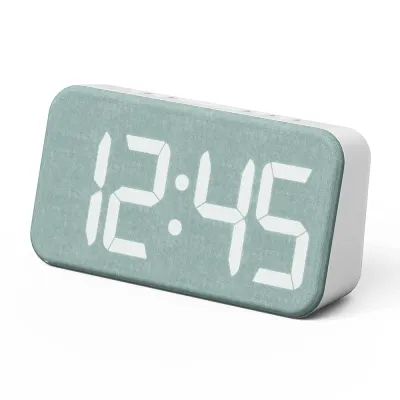
Prices are valid at publication and may change. Please refer to the product page for the latest price.
When selecting a model, it is essential to evaluate the material finishes by carefully checking product descriptions and labels. Common finishes include realistic wood grain veneers, matte-finished plastics, and occasional metallic accents. Wood grain finishes offer a warm, organic feel that complements natural timber furniture and cozy bedroom settings. In contrast, matte plastic finishes in neutral tones like off-white, pastel pink, or charcoal grey provide a clean, contemporary look suitable for modern offices and minimalist study spaces.
Beyond aesthetics, build quality and structural stability are critical indicators of a long-lasting timepiece. Before purchasing, look for design features that ensure the clock remains stable on your flat surfaces. Models with a wider base or a slightly angled profile tend to resist tipping over when you press the top buttons. Additionally, check for the presence of non-slip rubber or silicone pads on the bottom surface, which prevent the clock from sliding around when you reach to snooze an alarm in the dark. A well-weighted chassis also indicates solid internal construction and prevents the clock from vibrating or rattling when the alarm sounds.
Evaluating Essential Features for Your Daily Routine
The primary function of any clock is readability, but the ideal display type depends heavily on where you plan to place it. LED displays offer high contrast and vibrant visibility, making them excellent for bright living rooms or offices, though they can sometimes be too bright for a dark bedroom. LCD and e-paper displays rely on ambient light or gentle backlights, offering a softer visual footprint that is highly readable during the day without emitting harsh light at night. If you are sensitive to light while sleeping, prioritize models that feature manual brightness adjustment levels or built-in auto-dimming sensors that automatically lower the display intensity based on the surrounding ambient light.

Sound management is another crucial factor that directly impacts your daily comfort and productivity. For workspaces, study desks, or quiet reading corners, look for analog models equipped with silent sweep movements, which eliminate the repetitive ticking sound that can disrupt deep focus. If you are selecting a clock for your bedside table, verify the alarm sound features. Some models offer adjustable alarm volumes, while others feature progressive alarms that start with a gentle beep and gradually increase in volume to wake you up without a sudden startle. Dual alarm settings are also highly beneficial if you share a bed or have different wake-up schedules for weekdays and weekends.
Modern table clocks often integrate secondary functions that transform them into multi-purpose utility devices. Consider whether your daily routine would benefit from integrated temperature and humidity sensors, which help you monitor indoor air quality and adjust your air conditioning or humidifier accordingly. Date and day-of-the-week indicators are highly useful for home offices, keeping you oriented during long work sessions. Additionally, some models incorporate integrated night lights with adjustable warmth and brightness, providing a soft glow for nighttime navigation without the need to turn on harsh overhead lighting. Evaluate these secondary features carefully to ensure they align with your actual habits rather than adding unnecessary complexity to your daily routine.
Matching the Clock to Your Space and Interior Style
A table clock should harmonize with the physical dimensions and style of the room it occupies. Before making a decision, measure the depth, width, and height of the desk, shelf, or nightstand where you plan to place the clock. A clock that is too large can overcrowd a compact bedside table, leaving little room for your phone, glasses, or a glass of water. Conversely, a tiny clock might get lost visually on a spacious living room sideboard or a wide study desk. Ensure there is at least a few centimeters of clearance around the clock to maintain a clean, uncluttered look.
Coordinating color palettes and textures is essential for creating a cohesive interior design. If your room features warm wood tones, brass fixtures, and earthy textiles, a clock with a wood-grain finish or a warm cream casing will complement the existing decor beautifully. For spaces dominated by cool tones, glass, steel, or monochrome furniture, a sleek black, white, or metallic-accented digital clock will reinforce the modern, high-tech aesthetic. Pay attention to the color of the digital digits as well; warm white or amber LEDs tend to feel cozier, while cool white or blue LEDs offer a crisp, high-contrast look.
Placement constraints and environmental factors also play a significant role in how well a clock functions in a space. Consider the optimal viewing angles from your primary seating or sleeping positions. Some digital screens, particularly budget-friendly LCD panels, can suffer from poor contrast or color inversion when viewed from extreme side angles or from above. Additionally, position the clock away from areas prone to direct sunlight or intense overhead lighting, which can cause distracting glare on glossy screen surfaces. If the clock requires a continuous wired power connection, ensure it is positioned close enough to an electrical outlet or USB port to avoid unsightly, dangling cables stretching across your furniture.
Pre-Purchase Verification and Setup Checklist
To avoid compatibility issues and ensure a smooth setup experience, go through a thorough pre-purchase verification process. First, examine the power requirements of your chosen model. Some table clocks run entirely on standard alkaline batteries (such as AA or AAA), offering maximum portability and placement freedom. Others require a continuous USB power connection to keep the display illuminated, using a small backup battery only to save your settings during a power outage. If the clock is USB-powered, check whether the package includes the necessary USB cable and a compatible wall adapter. If you need to supply your own adapter, verify that its voltage and amperage ratings match the manufacturer’s specifications—typically a standard 5V USB port—to prevent overheating or electrical hazards.
Next, evaluate the control interface to ensure it is intuitive and easy to operate. Look for models with clearly labeled buttons that are physically accessible. A snooze button should ideally be located on the top of the clock and be large enough to find easily by touch in the dark. If the time-setting buttons are located on the back or bottom, ensure they are spaced far enough apart to prevent accidental presses. Reading customer reviews or checking the online user manual can give you a clear idea of how straightforward the menu navigation is for setting alarms, adjusting brightness, or switching between 12-hour and 24-hour time formats.
Finally, verify the pricing and purchase terms on reputable online marketplaces or local retail stores. Prices for these table clocks typically range from S$20 to S$80, depending on the complexity of the display, materials, and integrated features. Ensure you are purchasing from a seller that offers a clear warranty policy covering manufacturing defects. Locate the manufacturer’s official manual, either in the box or as a downloadable PDF, to familiarize yourself with the initial setup steps, battery installation guidelines, and specific care instructions before your new clock arrives.
Frequently Asked Questions (FAQ)
How do I safely clean and maintain the display screen?
To keep your table clock’s display clear and free of dust, use a dry or slightly damp microfiber cloth to gently wipe the surface. Avoid using harsh household chemicals, glass cleaners, abrasive materials, or excessive moisture, as these can strip protective coatings, scratch the screen, or seep into the internal electronics. Always consult the product label or the manufacturer’s user manual for material-specific cleaning restrictions, especially if your clock features a mirrored or wood-veneer finish.
What should I do if the alarm volume is too loud or too quiet?
If the alarm volume is not to your liking, locate the physical volume dials or navigate the digital settings menu to adjust the sound intensity. Some models feature a progressive alarm system that starts quietly and gradually increases in volume, which cannot be manually disabled but is designed to prevent sudden sleep disruption. Additionally, ensure that the speaker grille on the back or bottom of the clock is not obstructed by decorative objects, books, or placed directly against a highly sound-absorbing surface like a thick fabric runner, which can significantly muffle the sound.

Community discussion
Share your experience or ask a question. Comments are reviewed before publication.