
Finding the most energy-efficient smart bulb requires looking past marketing buzzwords and focusing on two key technical metrics: active luminous efficacy and standby power consumption. Unlike traditional LED bulbs that consume zero electricity when switched off, a smart bulb remains in a low-power standby state to stay connected to your home network. To choose the most efficient brand for your space, you must evaluate how much light the bulb produces per watt of active power, alongside how much energy it draws while waiting for your next command.
In Singapore’s tropical climate, where household energy use is closely monitored to manage utility bills, optimizing your lighting setup can yield noticeable long-term savings. While many brands advertise high brightness or millions of colors, the true efficiency of a smart bulb depends on its internal wireless protocol, its driver design, and how you configure its daily operation. By learning to read technical specifications and calculating the total cost of ownership, you can build a smart lighting system that is both highly functional and exceptionally lean on electricity.
Understanding Smart Bulb Power Consumption
To accurately compare smart bulb efficiency, you must first separate active power consumption from standby power consumption. Active power is the electricity the bulb draws when it is fully illuminated, measured in watts. Standby power, often referred to as “vampire draw,” is the continuous trickle of electricity required to keep the bulb’s internal wireless receiver active when the light is turned off via an app or voice assistant. While standby power is typically low—often under one watt—it runs 24 hours a day, meaning a house filled with dozens of smart bulbs can accumulate a surprising amount of background energy use over a year.
Products mentioned in this guide
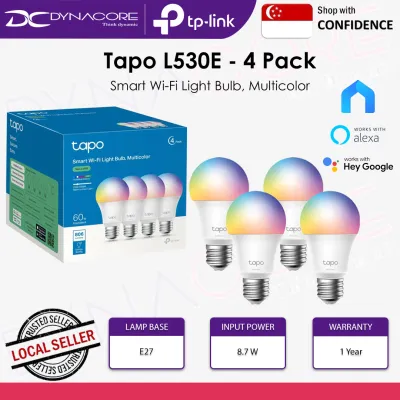
![[TAPO OFFICIAL] TP-Link Smart Wi-Fi LED Light Bulb 16 mil Colors Tapo L530E (E27/No Hub required/Google Assistant)](https://img.lazcdn.com/g/p/ca2cd9444e136fd67f17aa2a9224c711.jpg_400x400q80.jpg_.webp)
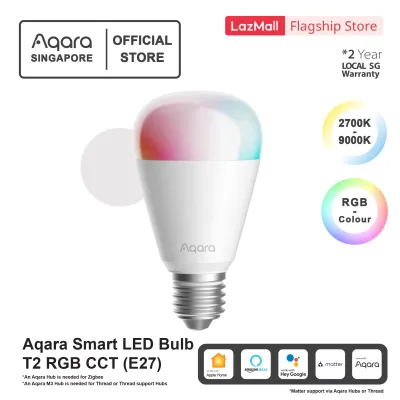
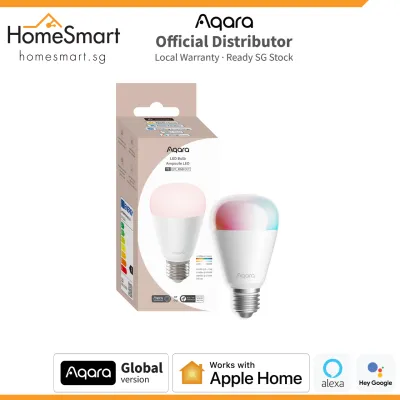
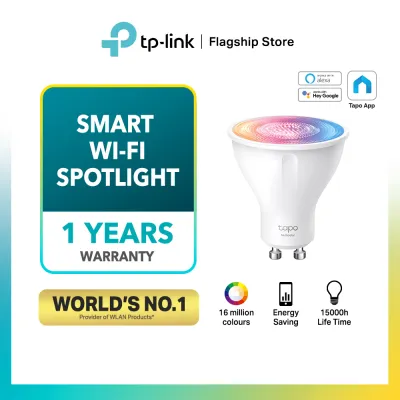
Prices are valid at publication and may change. Please refer to the product page for the latest price.
The true measure of active efficiency is luminous efficacy, which is expressed in lumens per watt (lm/W). Lumens represent the total amount of visible light emitted by the bulb, while watts represent the electrical power consumed. A highly efficient smart bulb will deliver a high lumen output while drawing minimal wattage. For example, a bulb that produces 800 lumens using only 8 watts (100 lm/W) is significantly more efficient than one that requires 10 watts to produce the same 800 lumens (80 lm/W).
Furthermore, the color settings you choose directly impact active power draw. Standard warm white or cool white light is typically generated by dedicated, highly efficient white LED diodes. In contrast, producing vibrant colors requires activating multiple red, green, and blue (RGB) diodes simultaneously. Running these color-mixing channels often requires more power to achieve comparable brightness levels, making colored light inherently less efficient than standard white light. If energy conservation is your primary goal, utilizing the bulb’s dedicated white light modes for daily tasks is highly recommended.
Evaluating Brand Specifications and Energy Labels
When shopping for smart bulbs, you should look past prominent front-of-box marketing claims and inspect the detailed technical specifications. Manufacturers often highlight “wattage equivalents”—such as claiming a bulb is a “60W equivalent”—to help consumers estimate brightness based on old incandescent standards. However, this equivalent rating does not reflect actual energy consumption. Instead, locate the actual input wattage (usually between 5W and 11W for standard smart bulbs) and the rated lumen output on the back or side of the packaging.

To verify these claims, check for official energy labels and certifications. In Singapore, household lamps are subject to the Mandatory Energy Labelling Scheme (MELS) administered by the National Environment Agency (NEA). Look for the energy label displaying a tick rating; more ticks indicate a higher level of relative energy efficiency. Additionally, ensure the bulb carries the Safety Mark, which verifies that the electrical components have been tested and certified for safe use under local voltage standards (typically 230V at 50Hz).
Physical compatibility and electrical safety are equally critical when selecting a bulb. Always verify that the bulb’s base type (such as E27 screw or GU10 spotlight) matches your existing light fixtures, and check that the physical dimensions of the bulb fit within your lamp shade or recessed housing. Furthermore, note the dimming method: smart bulbs must never be paired with traditional wall-mounted dimmer switches, as the voltage fluctuations can damage the bulb’s internal wireless receiver and driver. Instead, smart bulbs require a constant, non-dimmed power supply and must be dimmed exclusively via their software or compatible smart controllers.
Standby power is rarely printed on the main energy label, so you may need to consult the manufacturer’s official online specification sheets or user manuals. Look for terms like “standby power,” “idle consumption,” or “deep sleep mode.” A well-engineered smart bulb should ideally maintain a standby draw of 0.5 watts or less. If a brand does not disclose its standby power consumption in its official documentation, it is safer to assume it may have a less optimized wireless receiver that draws more background energy.
How Connectivity Protocols Affect Standby Power
The wireless technology a smart bulb uses to communicate with your home network is the single largest factor determining its standby power consumption. Smart bulbs generally fall into two categories: hub-free Wi-Fi bulbs and hub-dependent bulbs utilizing protocols like Zigbee, Z-Wave, or Matter over Thread. Understanding the differences between these protocols is essential for designing an energy-efficient smart home system.
Wi-Fi smart bulbs are highly popular because they connect directly to your home router without requiring an extra bridge or hub. However, maintaining an active Wi-Fi connection requires a relatively high amount of energy. A typical Wi-Fi smart bulb can draw between 0.5 and 1.2 watts of standby power just to stay registered on your local network. While this may seem negligible for a single bulb, installing twenty Wi-Fi bulbs throughout your home can result in a continuous standby load of up to 24 watts, running constantly day and night.
In contrast, hub-dependent protocols like Zigbee and Thread are designed specifically for low-power smart home networks. These mesh-networking technologies allow bulbs to communicate using a fraction of the energy required by Wi-Fi. A Zigbee or Thread smart bulb often boasts a standby power draw of less than 0.2 watts. To use these bulbs, you must connect them to a central smart hub or border router. While the hub itself consumes a small amount of continuous power (typically 1 to 3 watts), the overall standby consumption of a multi-bulb system is significantly lower when using a hub-based architecture. For a whole-home setup, the energy saved by twenty low-power Zigbee bulbs easily offsets the minor power draw of the central hub.
Strategies to Minimize Smart Lighting Electricity Use
Beyond selecting efficient hardware, your daily usage habits and system configuration play a massive role in minimizing electricity consumption. One of the most effective strategies is to leverage the automation features built into your smart lighting app. By setting up automated schedules, you can ensure that lights are automatically turned off when rooms are unoccupied or when natural daylight is sufficient. Integrating motion sensors in transitional spaces like hallways, bathrooms, or closets ensures that lights only draw active power when someone is physically present.
Another critical consideration is how you manage “vampire power” at the wall switch. If you turn off a smart bulb using a traditional physical wall switch, you cut off its electrical supply completely. While this reduces its standby power to zero, it also disables all smart functionality, requiring the bulb to undergo a full reboot cycle and reconnect to the network once the switch is flipped back on. To avoid this inconvenience while keeping standby power low, consider pairing your bulbs with smart switches designed to keep the circuit continuously live while sending digital “off” commands. This maintains the smart connection while allowing you to control the lights physically.
Additionally, you can drastically reduce active power consumption by adjusting your default brightness levels. Most smart bulbs are incredibly bright at 100% capacity, which is rarely necessary for relaxed evening atmospheres. Dimming a smart bulb to 50% brightness does not just alter the mood; it directly reduces the electrical current flowing through the LEDs, lowering the active wattage. Setting your smart home routines to automatically dim the lights to lower levels in the evening helps conserve energy while preparing your body for sleep.
Safety must remain a priority when installing or maintaining your lighting system. When installing smart bulbs in damp environments like bathrooms or outdoor balconies, ensure the bulb is explicitly rated by the manufacturer for damp or wet locations to prevent short circuits. For any installation involving work at height, or if you decide to replace existing wall switches with fixed-wire smart switches, always isolate the power at the main circuit breaker first. If you are unsure about handling fixed electrical wiring, consult a qualified professional to complete the installation safely.
Smart Bulb Efficiency Comparison Checklist
To help you evaluate different smart bulb models and calculate their long-term operating costs, use the structured framework below. When comparing options, gather the technical specifications from each manufacturer and input them into this decision matrix to identify the most cost-effective choice.
| Evaluation Metric | Bulb Option A | Bulb Option B | Bulb Option C |
|---|---|---|---|
| Active Wattage (W) | e.g., 9W | e.g., 8.5W | e.g., 7W |
| Lumen Output (lm) | e.g., 800 lm | e.g., 800 lm | e.g., 600 lm |
| Luminous Efficacy (lm/W) | Calculate: Lumens / Active Watts | Calculate: Lumens / Active Watts | Calculate: Lumens / Active Watts |
| Standby Wattage (W) | e.g., 0.5W | e.g., 0.2W | e.g., 0.6W |
| Wireless Protocol | e.g., Wi-Fi | e.g., Zigbee | e.g., Thread |
| Hub Required? | Yes / No | Yes / No | Yes / No |
To estimate the annual electricity cost of a smart bulb in Singapore, you can use a simple calculation based on your local utility tariff. For example, if we assume a representative electricity tariff of S$0.32 per kilowatt-hour (kWh), you can calculate the annual cost of a single bulb using the formula below:
Annual Cost (S$) = [((Active Watts Daily Active Hours) + (Standby Watts Daily Standby Hours)) / 1000] 365 0.32
By applying this formula, you will often find that for a single room with only one or two lights, a direct-to-Wi-Fi bulb is highly practical and cost-effective, as you avoid the upfront cost of a hub. However, for a comprehensive, whole-home smart lighting upgrade, investing in a hub-based system utilizing Zigbee or Thread protocols will yield superior energy efficiency and lower overall electricity bills over time.
Frequently Asked Questions (FAQ)
Do smart bulbs use electricity when they are turned off?
Yes, smart bulbs continue to draw a small amount of electricity when they are turned off via an app, voice command, or automation. This is known as standby power or idle consumption. The bulb’s internal wireless receiver must remain powered and connected to your home network so that it can listen for the next command to turn back on. To minimize this background energy use, look for bulbs with a certified standby power rating of 0.5 watts or lower.
Are color-changing smart bulbs less efficient than white-only bulbs?
Generally, yes. Color-changing (RGB) smart bulbs tend to be slightly less energy-efficient than dedicated white-only or tunable white bulbs. To produce colored light, the bulb must power multiple color diodes simultaneously, which often requires more energy to achieve the same perceived brightness as a dedicated white LED. Even when used strictly in standard white modes, the complex internal circuitry of an RGB bulb can result in slightly lower luminous efficacy compared to a bulb optimized solely for white light.
Does using a smart switch with a smart bulb waste more power?
Using a standard physical wall switch to turn off a smart bulb cuts all power, which eliminates standby draw but disables the bulb’s smart features. However, pairing a smart bulb with a compatible smart switch that keeps the circuit live does not significantly waste power. The smart switch itself draws a very low amount of standby energy (often under 0.5 watts) to transmit wireless signals, which is a highly efficient trade-off for maintaining seamless, automated control over your home’s lighting system.

Community discussion
Share your experience or ask a question. Comments are reviewed before publication.